COVID-19 Contact Tracing

Android

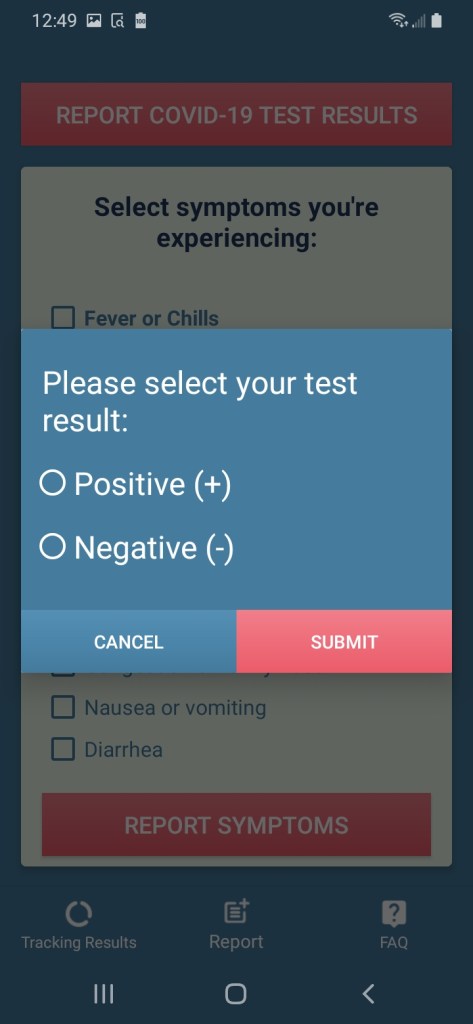
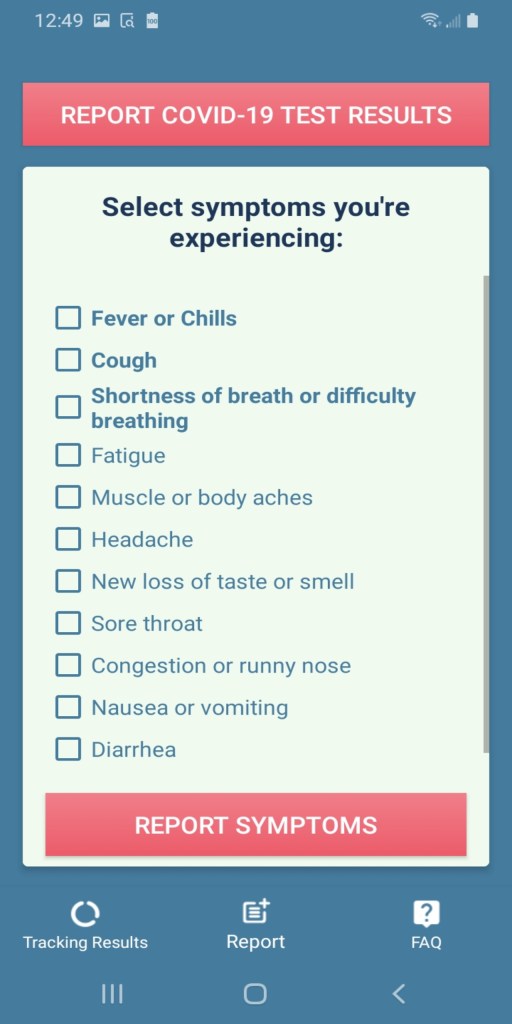
COVID-19 Contract tracing is an application for an Android phone which notifies a user if they have come in contact with someone who reported COVID-19 symptoms or a test result.
According to Google’s play store policy and current on going situation they are not approving any applications that are related to COVID-19 until and unless they are affiliated or associated with any government health organization so you won’t be able to find this application on the store but here is a link for the beta test application:

https://appdistribution.firebase.dev/i/D2oxMUWN

This app basically works around the DP-3T protocol and use’s a phones Bluetooth to communicate with nearby users. Each phone running this app will generate a unique random key every 24 hours and share that key with the other phone which is in a close proximity.

For example and for ease of understanding we will be using one user as A and some other user as B

A and B both will generate a unique key every 24 hours. If A and B comes close to each other their phone will broadcast that day’s key for each other and both the users will save that key on their respective phone within a private secure database.

After few days (<14) suppose A reports that he/she have tested positive for COVID-19, then their phone will upload that result with their past 14 days keys, now B’s phone will periodically sync with server for latest data and it will get a notification saying you came in contact with someone who tested positive within last 14 days.

User A’s phone will keep uploading that result with new key generated from that day onward until the user reports that (s)he tested negative.

Rapido Mobile Application

Android

Fast food restaurants usually have individuals stand in a line or a queue; the first individual to come into the line will be the first to order and should, ideally, also be the first to receive their order when it is ready. One noticeable issue with waiting in line is that the size of the line may grow very large and the wait time may be too much for those that do not have the time to wait in it. Thus, the purpose of this application is to provide users with a means of ordering food without having to wait in line at the restaurant.

This app could potentially provide sellers with another means of increasing their revenue by attracting customers who may have never been to their restaurant and prefer convenience in their given situation.

Potential users of this application are:
– Those that work in offices that would want to quickly order food from where they work. They would assume that their order is being made while they are on their way to pick it up. As soon as they arrive at the restaurant, their order should be ready for pick-up or nearly complete.
– Those that are looking for places to eat after attending a large event such as a conference or a concert. They may be unfamiliar with the area and, as a result, use the app to conveniently find a place that suits their budget, schedule, and taste.
– In general, those that are busy such as students, parents, and professionals that want to save time when ordering food. One can place an order in any location where there is Wi-Fi since much of the functionality of this app depends on it (e.g communication with the server, payment). At this point in time, it has been decided that the customer can order from only one restaurant through this app.

Characteristics that are shown during the ordering process that may help the user make a decision in deciding which restaurant they would want to order from are:

(1) the distance between their current location and the location of a particular restaurant
(2) the traffic of the restaurant at a point in time (e.g the number of orders that have been placed at said restaurant)
(3) food prices

When a customer has placed an order, a notification will be sent to both the customer and the seller; the customer’s notification will show a confirmation of their order and the seller’s notification will signal to them that an order has been placed at their restaurant. Updated notifications will be sent to the customer periodically indicating the amount of time that it will take for their order to be ready. This information should help them in developing a plan to pick-up their food in a way that saves time. When (s)he arrives at the restaurant, the customer must present to the seller a unique QR code that is generated when they place their order. This is so that seller can keep track of orders that are placed through this app; keeping track of orders in this way may be useful for restaurants that are particularly busy. Scanning the QR code should then allow them to obtain their order.

Daily shop

Android

This application provides its user to easily iterate through options and buy products.The application retrieves the products from the database and allows the users to buy them.

It provides facilities like displaying different categories of products like bread & eggs, Fruits, Vegetables, Peas, rice & oil, etc. The exciting part of this application is that it works for both the customers and merchants as well. The application basically starts with providing the user with option of a merchant and a customer. Whatever the user selects, he is directed to the login page. The user is the requested to provide his/her login credentials. If the user is new a signup page is also provided. If the user is a customer he/she is directed towards the Category activity through which the user selects the product category. After selecting the category the user is provided with the list of products to choose from, once a user selects a product further product details are provided and the user is provided with an option of putting the product in the basket. A basket icon is displayed at the top of the screen from which user can check the contents of his/her basket and checkout with product he/she selected.